How StorComp Works
StorComp 2.0 compares enterprise arrays in one workspace. Choose Block or Unified storage, pick vendors and a class, then read Technical Spec, list price per TB, and performance from the same selection. Built for architects and procurement teams who need the numbers without the vendor pitch.
What You’ll Get
Specs, list price per TB, and published performance in one comparison. Narrow it by vendor and array class, then export the result or an RFI.
Welcome to StorComp
StorComp 2.0 starts here. Sign in, or create a free account, and open the workspace.
Free: browse and compare. Pro: My projects, price modeling, extra performance profiles, RFI export, and advanced analytics.
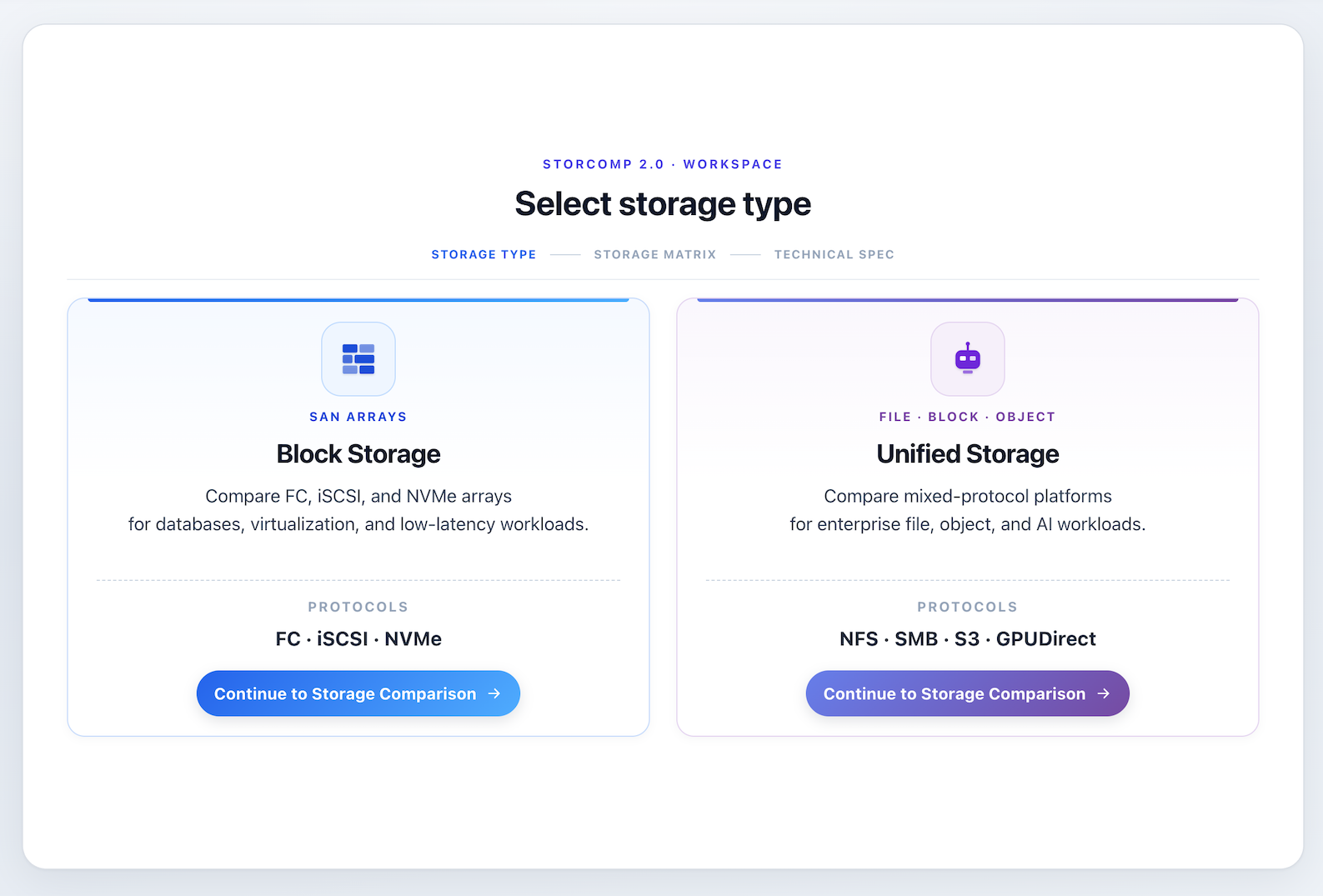
Select storage type
Choose Block Storage for SAN arrays on FC, iSCSI, and NVMe, or Unified Storage for mixed file, block, and object platforms.
Free and Pro: both storage types.
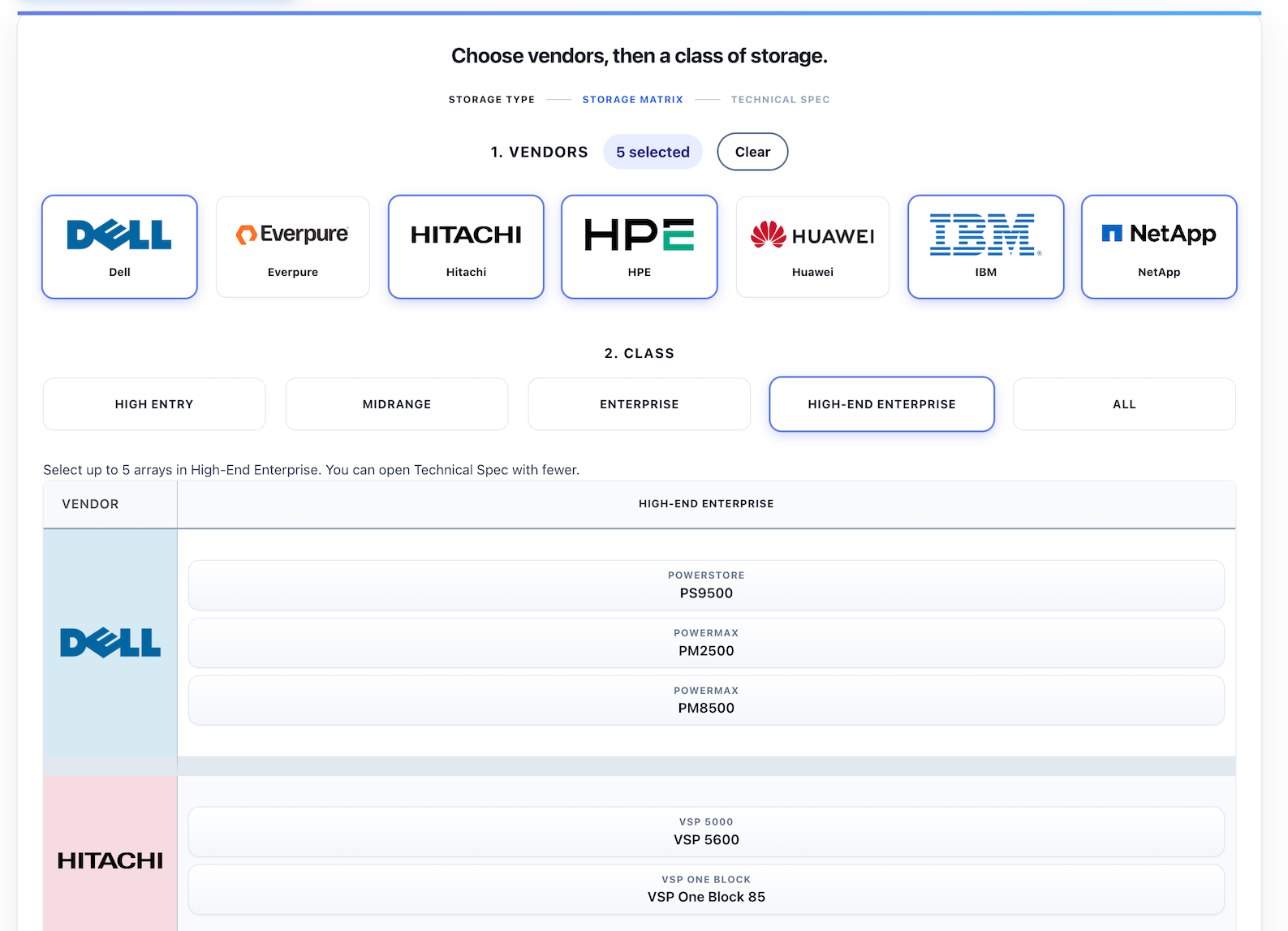
Choose vendors
In the Storage Matrix, select the vendors to include. The rest of the comparison stays inside that set.
Free: up to 3 vendors. Pro: the full vendor list.
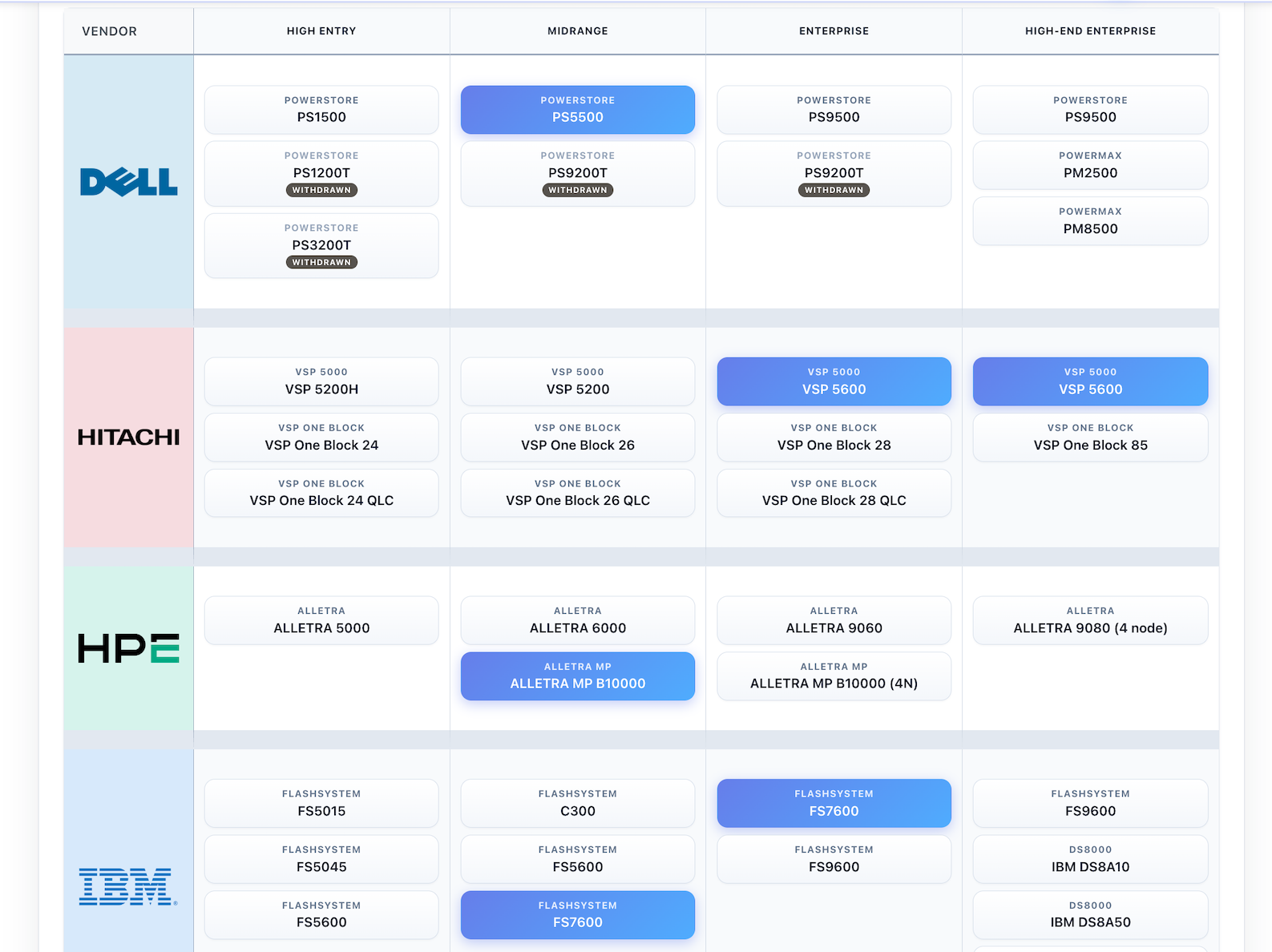
Choose a class, then the arrays
Filter by High Entry, Midrange, Enterprise, or High-End Enterprise, then pick the arrays. All shows every class. Withdrawn models stay visible so you can see what replaced them.
Free: up to 3 arrays. Pro: up to 5 arrays in one comparison.
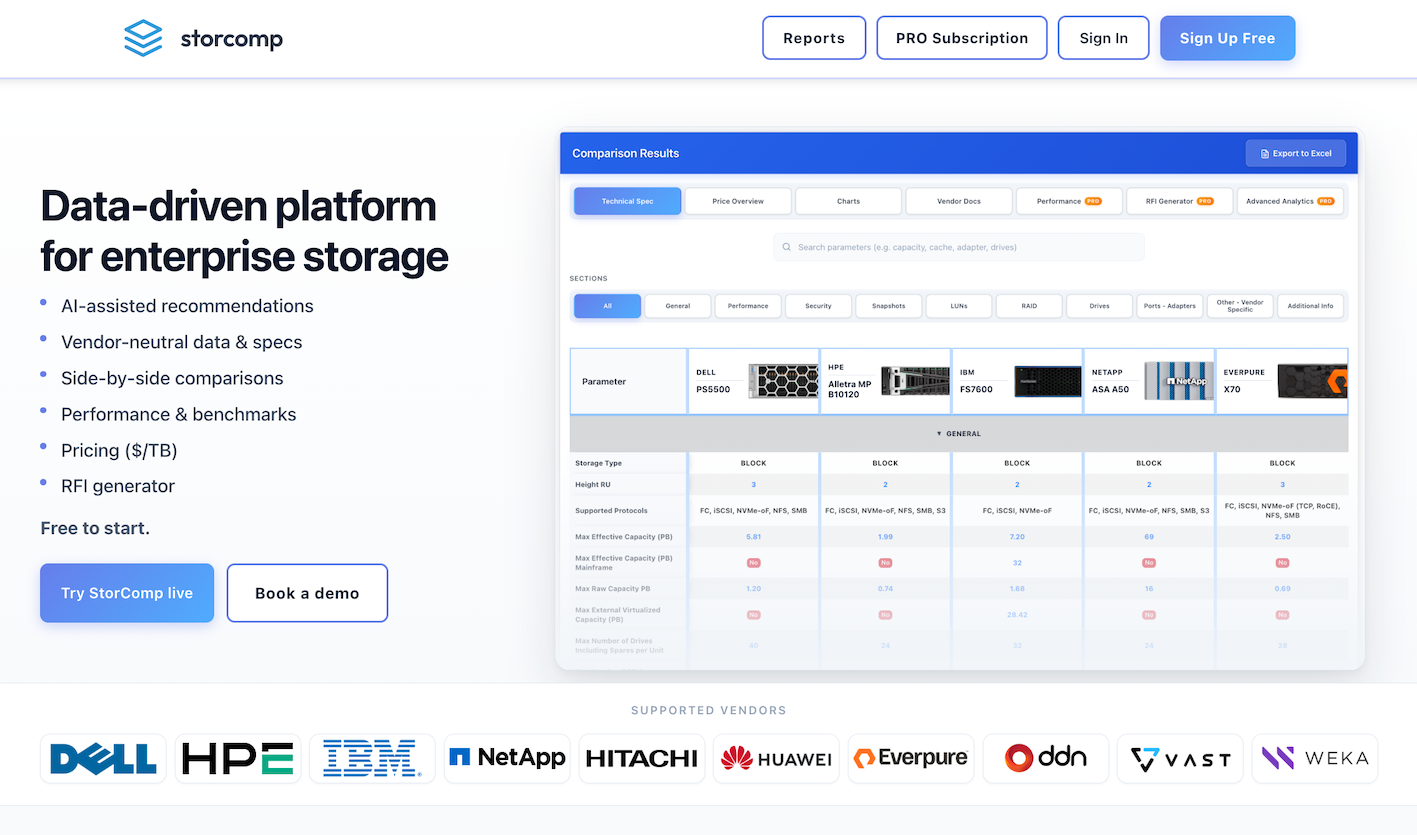
Technical Spec
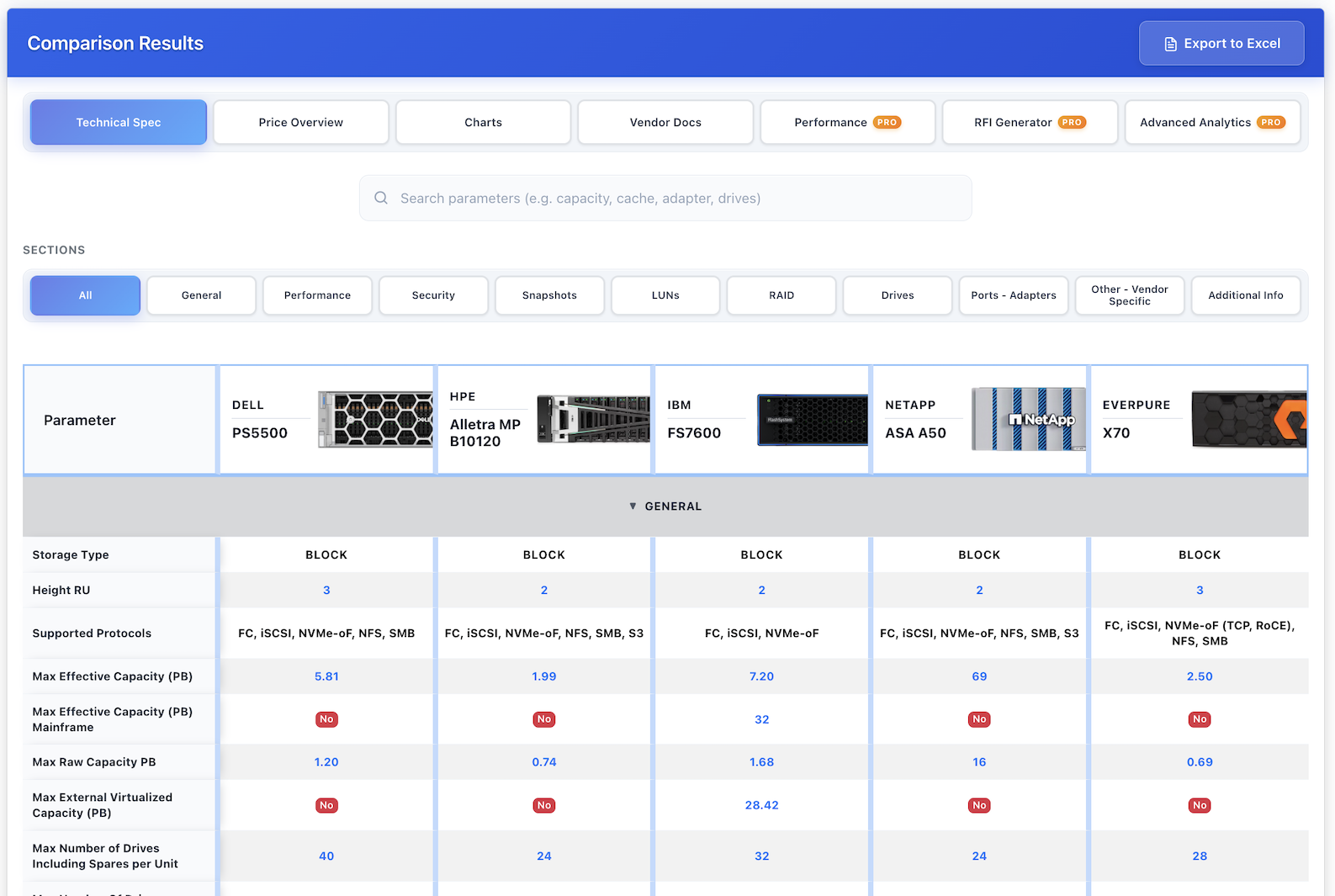
Comparison Results opens on Technical Spec. Each array shows its front view, and parameters are grouped — capacity, protocols, drives, ports, RAID, snapshots, and the rest. Search jumps straight to a field.
Free and Pro: the full specification table.
Price Overview
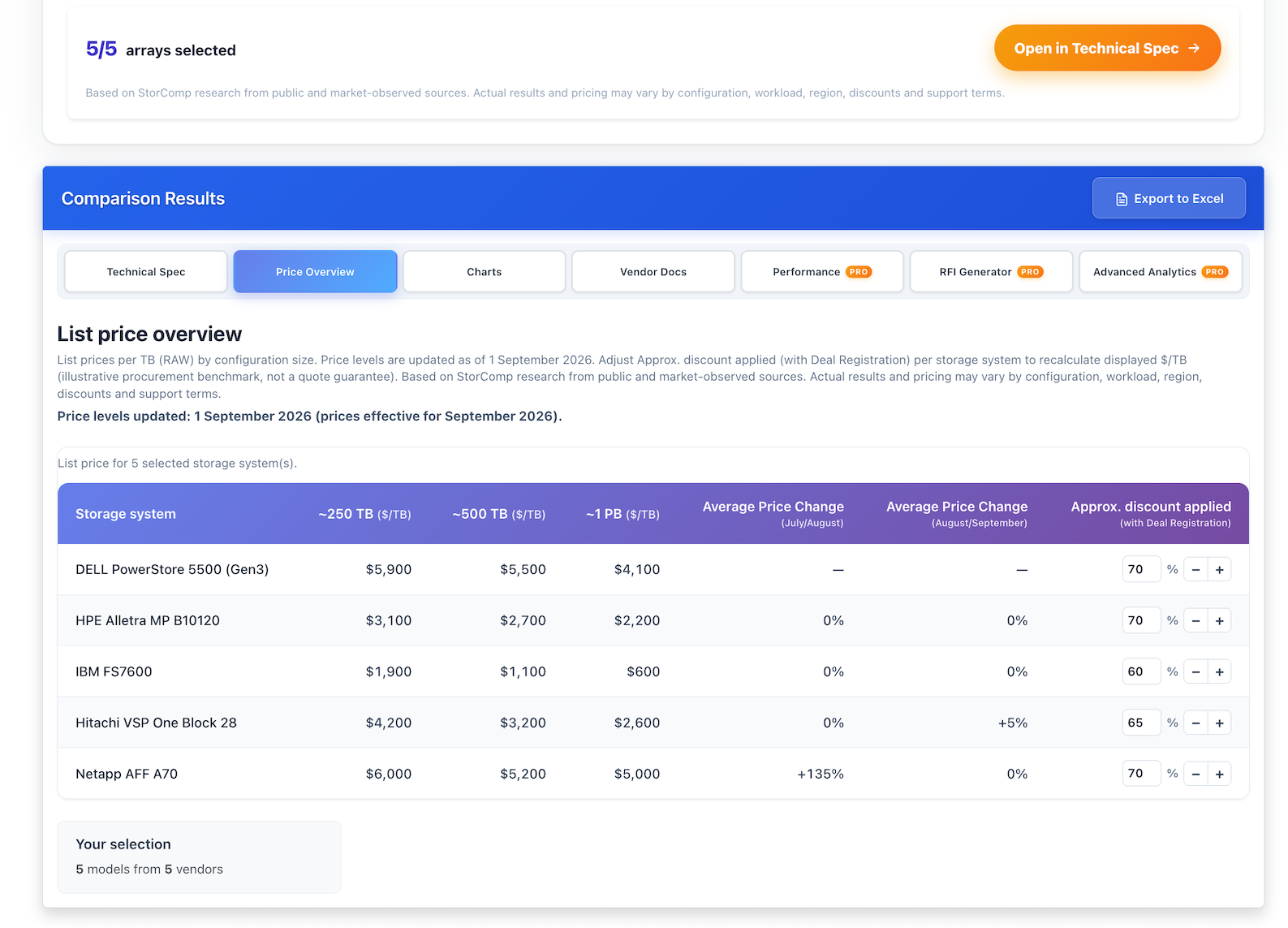
Approximate $/TB for orientation on Free; Pro adds list price by capacity (about 250 TB, 500 TB, and 1 PB), month-to-month change, and deal-registration discount modeling. Procurement benchmarks — not a quote.
Free: approximate $/TB. Pro: capacity bands, price change, and deal-registration discount.
Side-by-Side Comparison
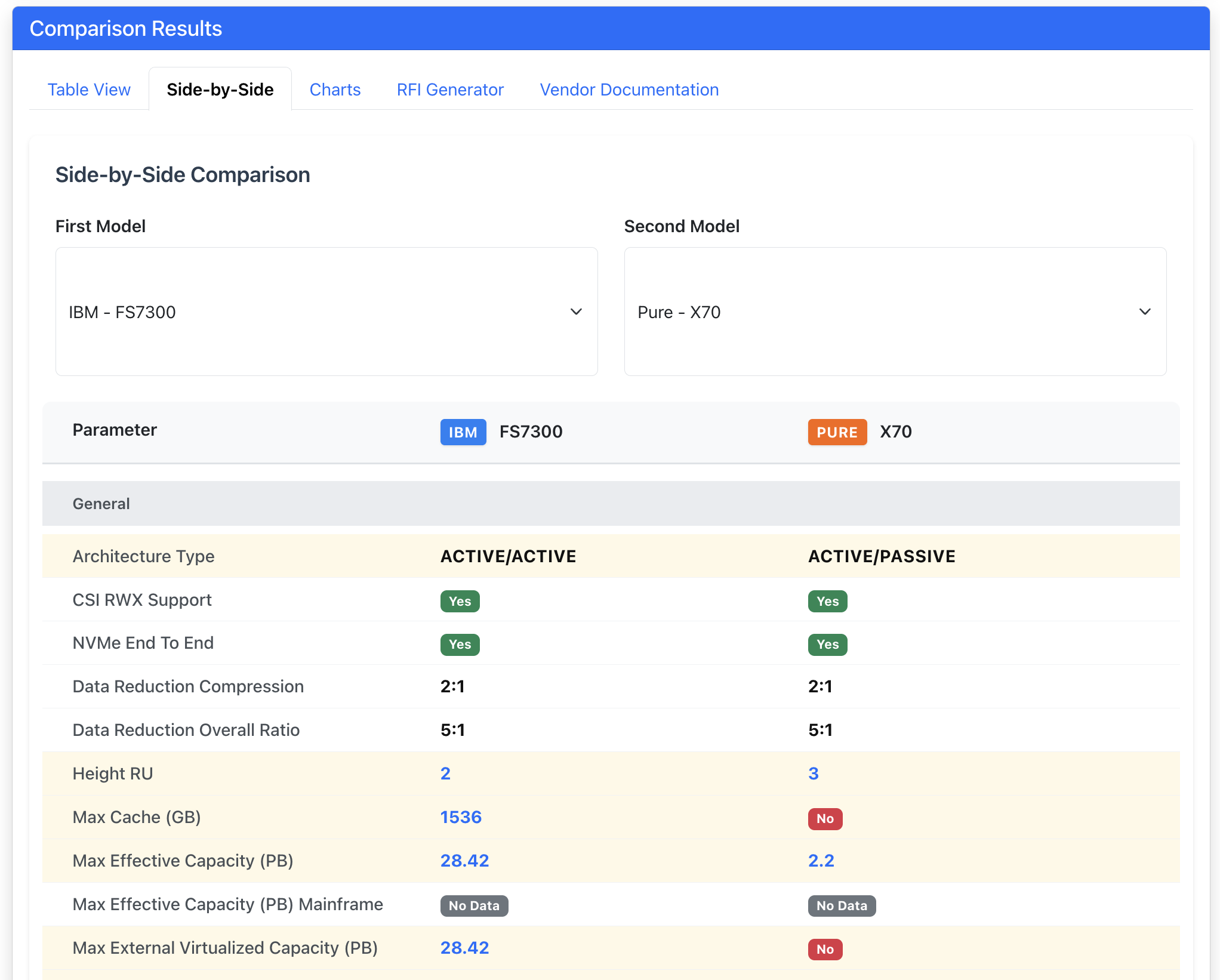
Directly compare two models side-by-side for each parameter. Differences are highlighted for quick analysis.
Free and Pro: side-by-side comparison included.
Charts & Analytics
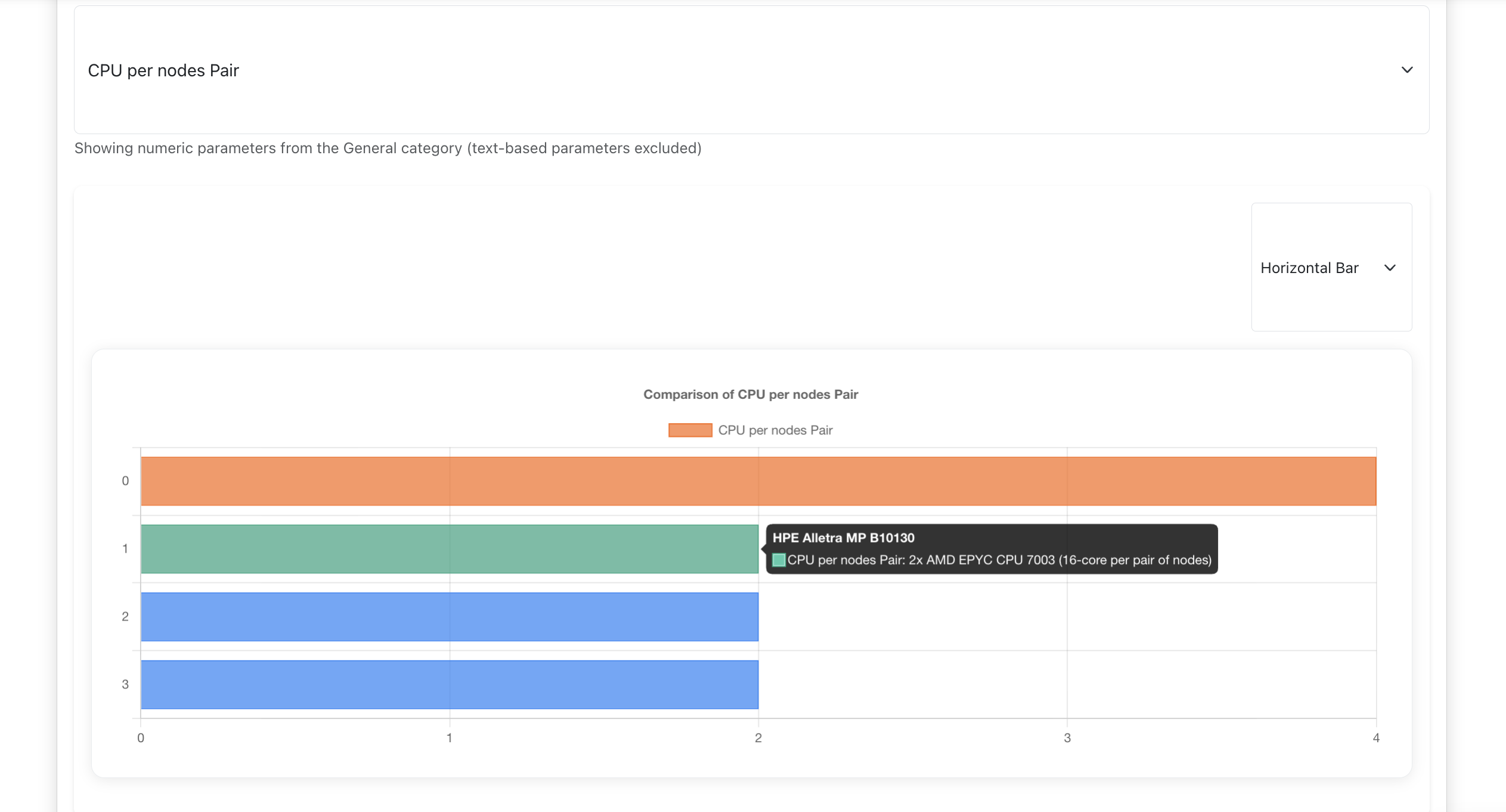
Visualize performance and general parameters with interactive charts. Spot trends and outliers at a glance.
Free: core charts. Pro: expanded analytics and advanced insights.
Official vendor performance numbers
Compare published IOPS and throughput from vendor datasheets. Workload profiles (OLTP, VDI, DSS, Backup) help you view those official figures in a consistent way across models.
Free: official datasheet numbers with the OLTP profile. Pro: Backup, VDI, DSS, and custom workload mixes.
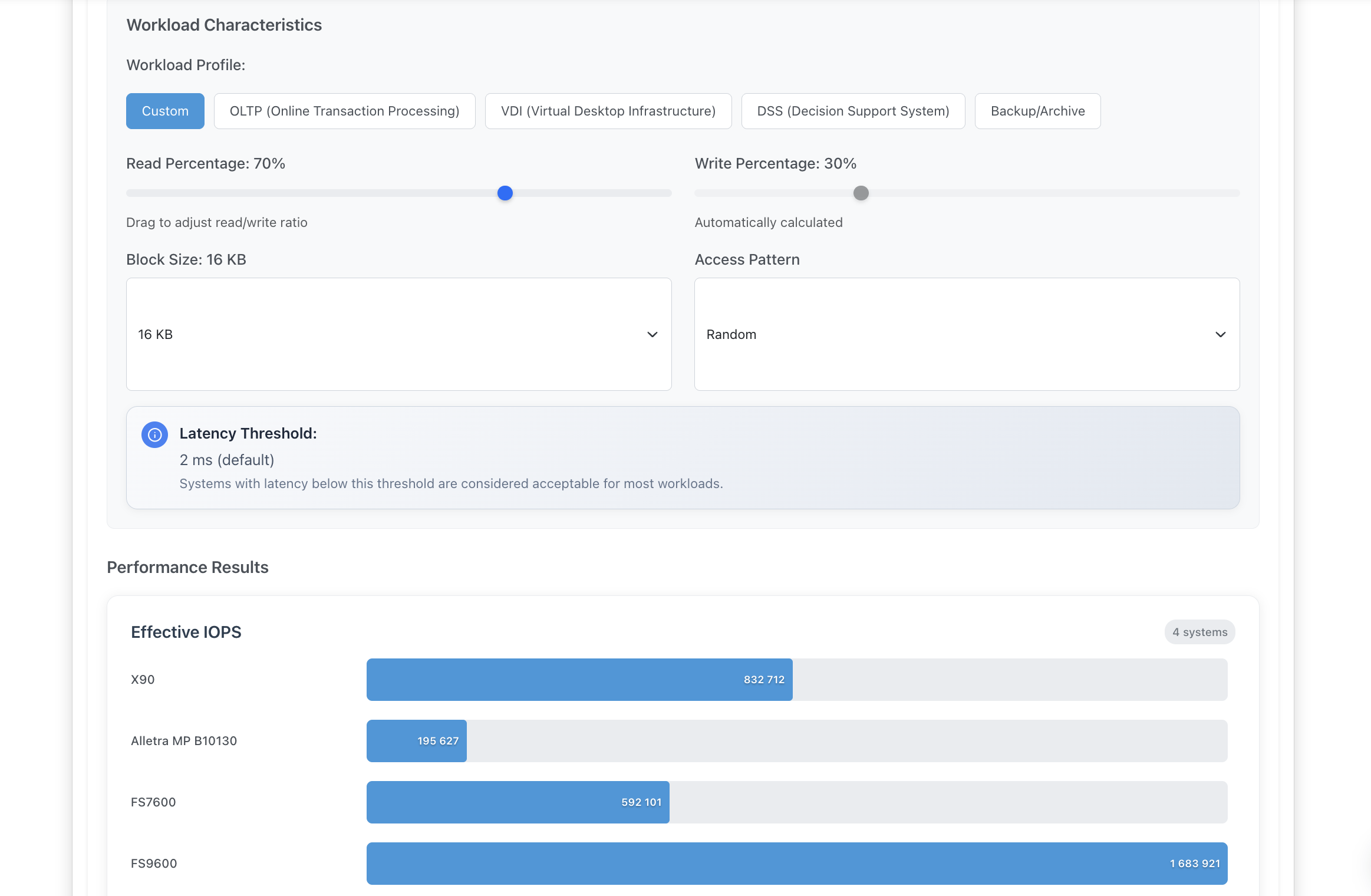
Vendor Documentation
Access technical documentation from all major storage vendors in one place. Quickly find reference materials and guides.
Free and Pro: vendor documentation included.
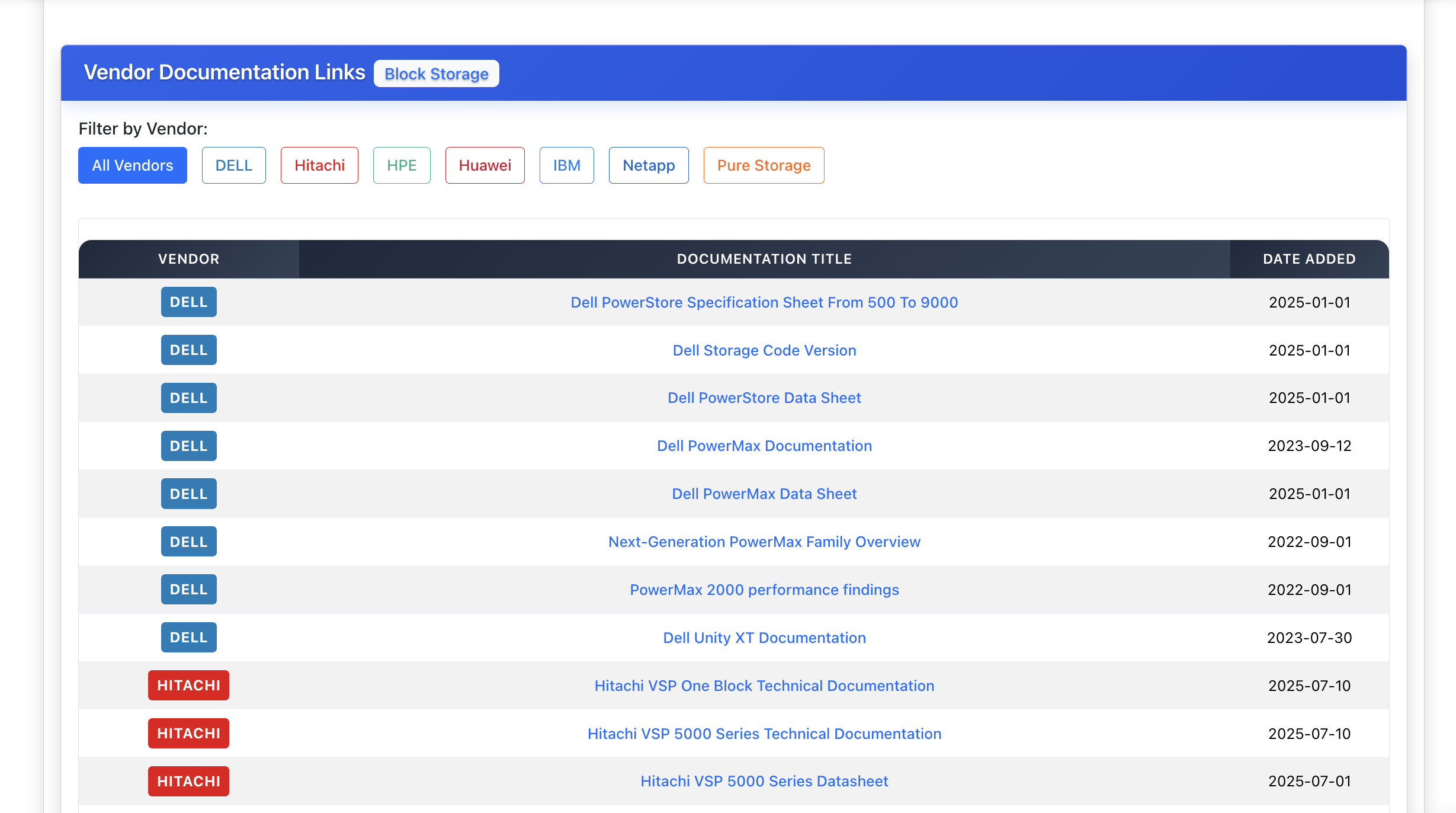
RFI Generator
Generate a Request for Information document based on your selected models and requirements. Streamline your procurement process.
Free: preview. Pro: generate and export full RFIs.
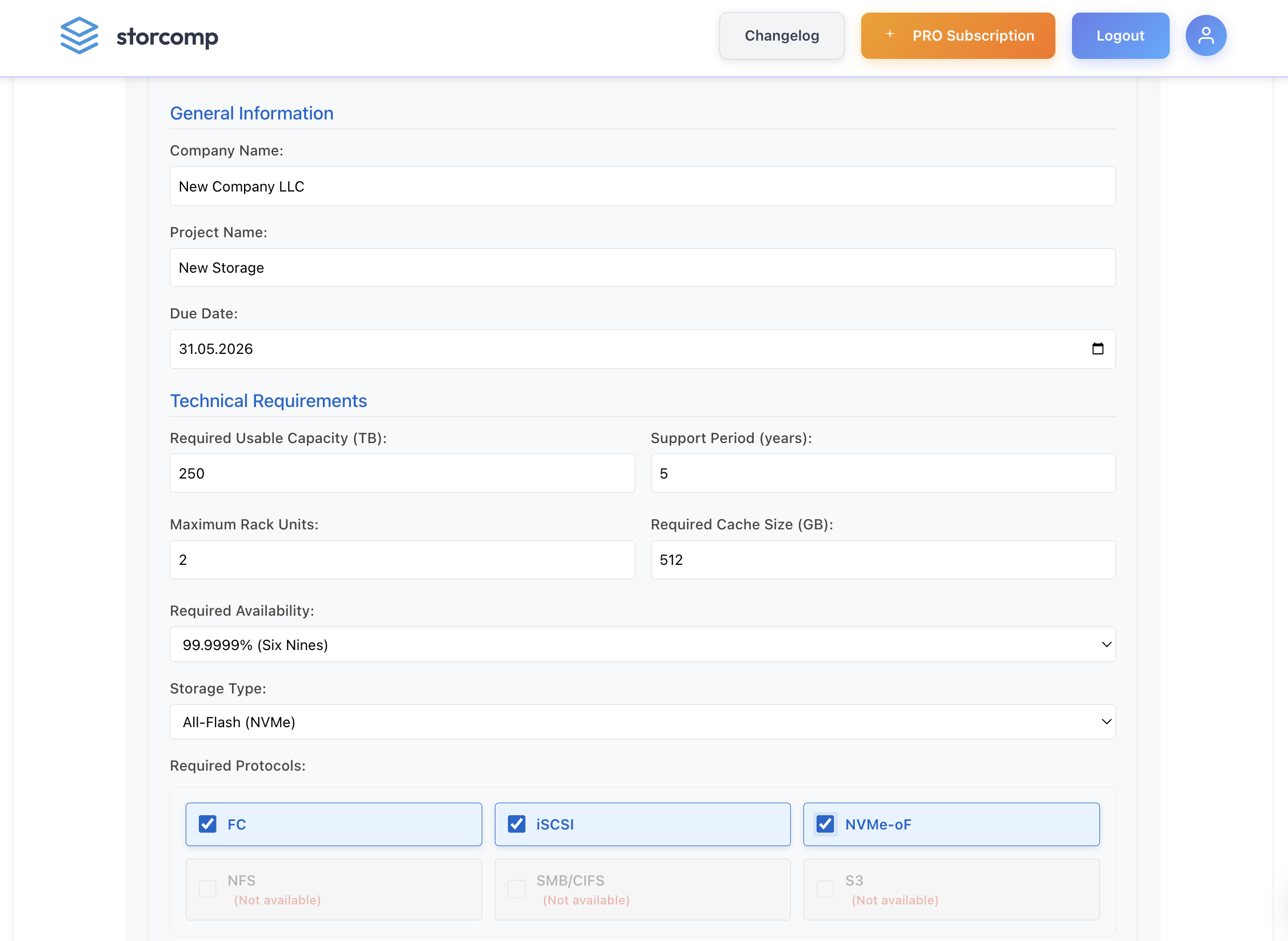
My projects
Save a named shortlist with models, notes, and performance settings. Reopen it later from My projects, or email a snapshot invite to a colleague — even if they do not have a StorComp account yet.
Pro: save and reopen projects; email share invites. Teams: also send copies to teammates.
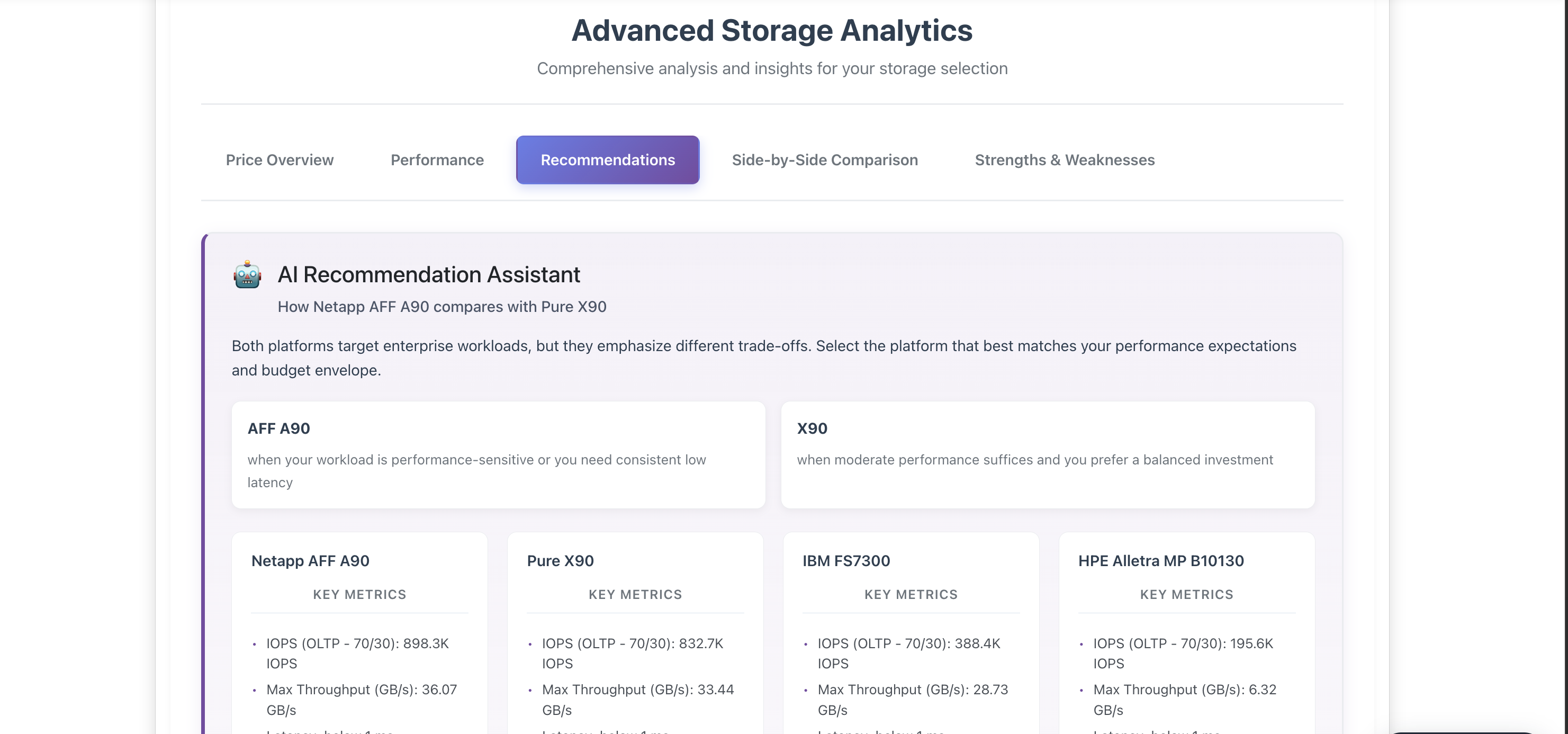
Advanced Storage Analytics
Dive deeper with Pro: AI-assisted insights, storage matrix views, and custom reports. Turn comparison data into clear recommendations.
Pro: advanced analytics dashboard, recommendations, and exportable insights.
- Deal-registration discount & $/TB recalculation
- Performance
- Recommendations
- Side-by-side comparison
- Strengths & weaknesses
Export Results
Transform your analysis into professional reports and documents. Export comprehensive comparison results, detailed RFI documents, performance analysis, and vendor assessments to streamline your procurement process and support decision-making.
Pro feature: full export package (PDF, Excel, and presentation-ready reports).
What You Can Export with StorComp
📊 Comparison Results
- Detailed side-by-side comparisons
- Feature matrix with specifications
- Performance benchmark reports
- Cost analysis summaries
📋 RFI & Requirements
- Custom RFI documents (50+ requirements)
- Vendor-specific questionnaires
- Technical specification sheets
- Procurement-ready templates
⚡ Performance Analysis
- Workload-specific performance data
- IOPS, bandwidth, and latency reports
- Real-world scenario comparisons
- Performance trend analysis
🚀 Additional Premium Features
PDF reports, Excel exports, presentation slides, executive summaries, vendor comparison matrices, and monthly industry insights.
🚀 Unlock Premium Export Features
Transform your storage analysis into professional, actionable reports. Get access to comprehensive export capabilities that save you hours of work and provide valuable insights for your procurement decisions.
Create your account to access premium features